ticksofBB
by Tim C. Lueth, SG-Lib Toolbox: SolidGeometry 5.6 - Geometric Queries
Introduced first in SolidGeometry 5.0, Creation date: 2020-09-21, Last change: 2025-09-14
sets the ticks using ticks of minmax of a BB
See Also: ticksofminmax
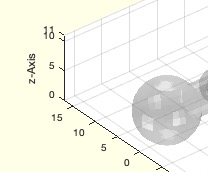
Example Illustration
Syntax
ticksofBB([bb,dis,res])
Input Parameter
bb: | | bb of Solid or SG |
dis: | | distance between ticks |
res: | | resolution default is .1 |
Examples
ticksofBB
Copyright 2020-2025 Tim C. Lueth. All rights reserved. The code is the property of Tim C. Lueth and may not be redistributed or modified without explicit written permission. This software may be used free of charge for academic research and teaching purposes only. Commercial use, redistribution, modification, or reverse engineering is strictly prohibited. Access to source code is restricted and granted only under specific agreements. For licensing inquiries or commercial use, please contact: Tim C. Lueth
Algorithm (Workflow)
This function, ticksofBB, is designed to set the ticks on a plot using the minimum and maximum values of a bounding box (BB). It is part of the SolidGeometry library and was introduced in version 5.0.
Input Parameters
- bb: The bounding box of a solid or SG (Solid Geometry). If not provided, it defaults to the bounding box of the current axes.
- dis: The distance between ticks. If not specified, it defaults to 5.
- res: The resolution, with a default value of 0.1.
Algorithm Steps
- Retrieve the input parameters using the
getfuncparams function. This function extracts the parameters from the input arguments, with default values for dis and res.
- Check if the
bb parameter is empty. If it is, set bb to the bounding box of the current axes using BBofSG(SGofgca).
- If
bb is a Solid Geometry object, convert it to a bounding box using BBofSG(bb).
- Set the x-axis ticks using the
ticksofminmax function, which calculates the tick positions based on the minimum and maximum values of the bounding box for the x-dimension, the specified distance, and resolution.
- Set the y-axis ticks in a similar manner to the x-axis ticks, using the y-dimension values of the bounding box.
- Set the z-axis ticks using the z-dimension values of the bounding box, again with the specified distance and resolution.
The function relies on helper functions such as getfuncparams, BBofSG, and ticksofminmax to perform its operations. The ticksofminmax function is particularly important as it determines the exact positions of the ticks based on the provided parameters.
Algorithm explaination created using ChatGPT on 2025-08-18 23:01. (Please note: No guarantee for the correctness of this explanation)
Last html export of this page out of FM database by TL: 2025-09-21